
Camera Placement
Use a wide stable view including bag and passenger area. Check lighting, scale and occlusion on site.

Unattended Bag Detection brings a bag on a platform or concourse with no person immediately beside it to an operator for review.
The Visible Condition
The observable condition is a bag on a platform or concourse with no person immediately beside it at a platform or terminal waiting area. A frame can bring the scene to an operator. It cannot establish intent, cause, or the right response.
The London illustrations show three bag types in different station positions. A sampled frame can describe the object and nearby space; it cannot prove how long the bag has been there or where its owner went. Operators review the broader clip and station procedure.
An authorized operator can enter a plain-language prompt such as “Alert when a bag appears unattended on the monitored platform.” StreamVLM™ evaluates sampled live frames from selected cameras against it. A match enters the IREX event flow.
Each detector has its own confidence threshold and alert cooldown. The team tests wording and settings on its cameras.
This prompt can be evaluated alongside the Abandoned Object Detection trained module. Compare their frame-rate needs and operational fit during a site-specific pilot.
Explore StreamVLM™ →Operational Fit
Use a wide stable view including bag and passenger area. Check lighting, scale and occlusion on site.
The reviewer should check the surrounding clip and station unattended-item procedure. The prompt does not decide this automatically.
Check for an owner just outside the frame, brief separation, or a staff item. Tune camera selection and alert settings during a pilot.
Illustrative Camera Frames
Synthetic frames illustrate possible matches. They are not real incidents, deployments, or accuracy evidence.
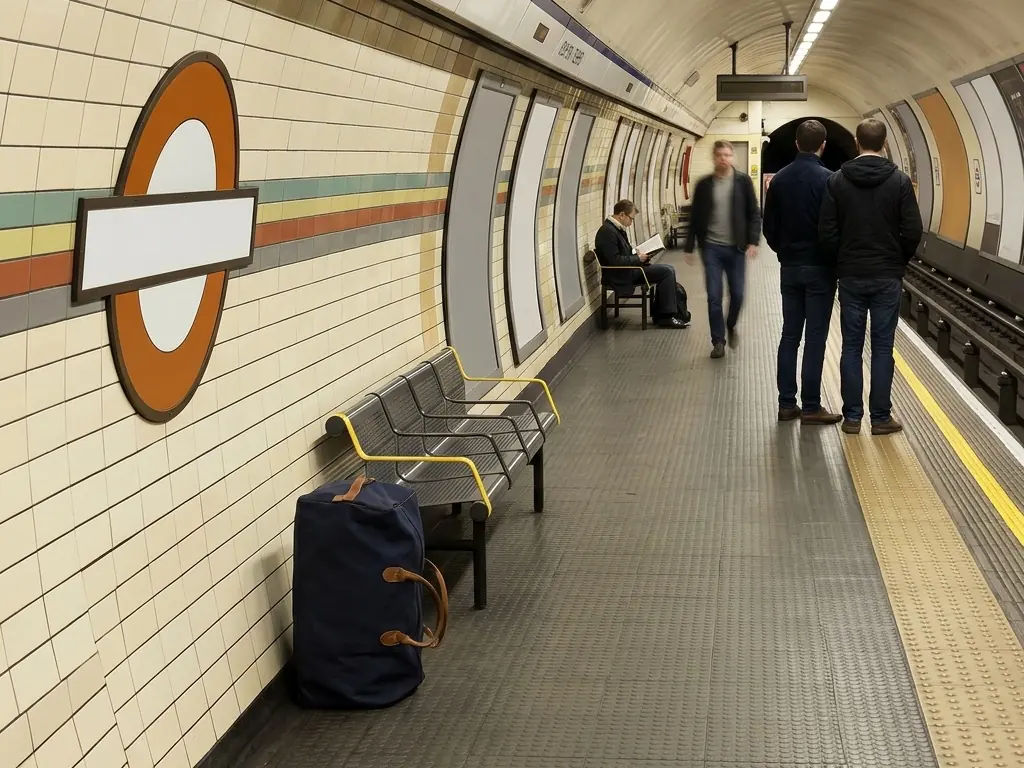
A navy duffel bag stands by the end of a platform bench with clear floor immediately around it.
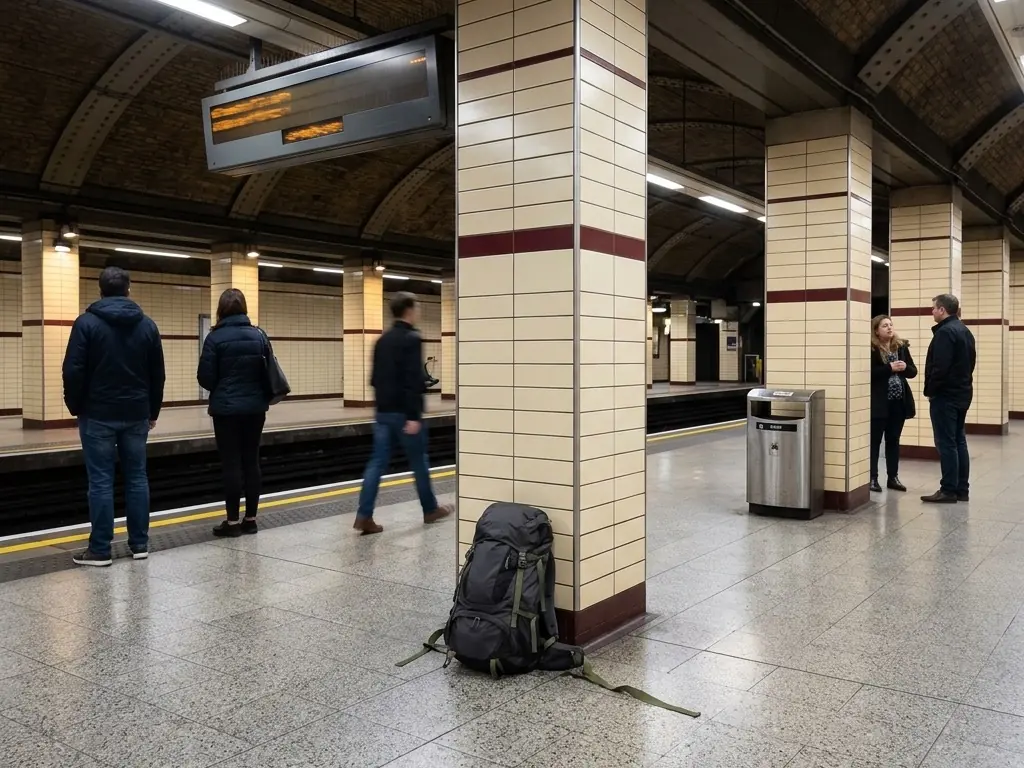
A gray backpack is propped against a tiled column while passengers wait farther away.
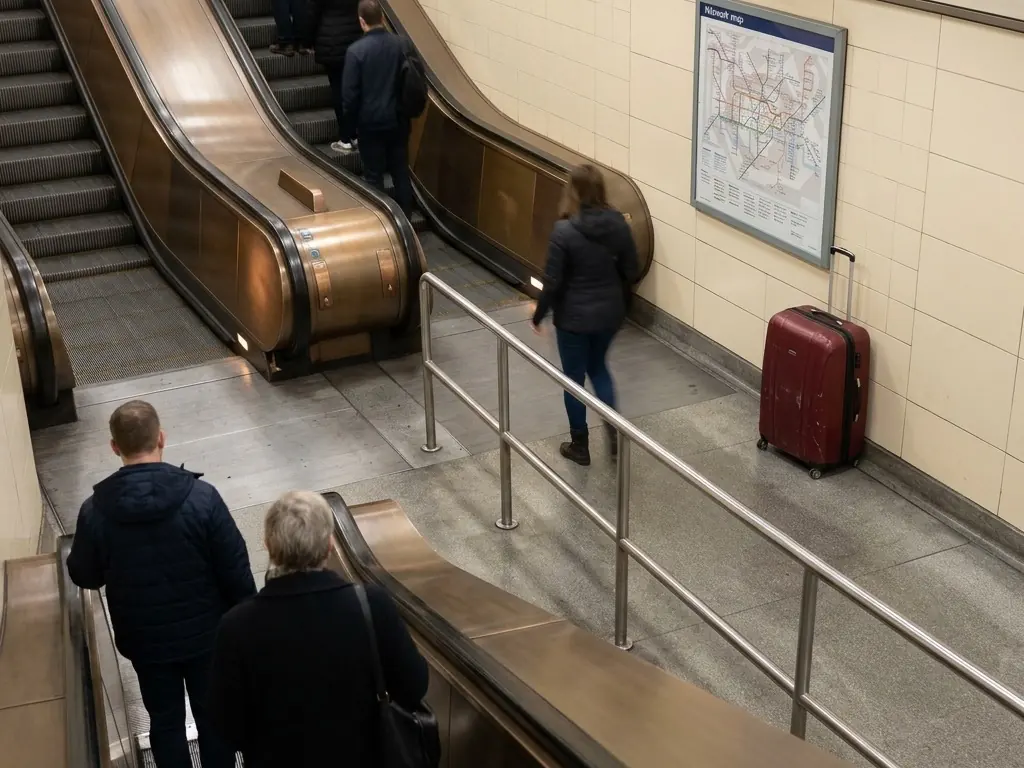
A wheeled suitcase stands by a wall near the escalator. Staff check who approached it in the surrounding footage.
From Prompt to Action
Use observable wording such as “Alert when a bag appears unattended on the monitored platform.” on cameras that show the complete relevant scene.
Open the match and surrounding footage. Compare with ordinary scenes such as an owner just outside the frame, brief separation, or a staff item.
An operator reviews the timeline. A frame match cannot establish dwell time or whether an item is hazardous.
Pilot Questions
Keep Reading
Choose representative views of a platform or terminal waiting area. We can scope the prompt, alert settings and review procedure for a pilot.
It reports a match to a described visible condition: a bag on a platform or concourse with no person immediately beside it. An operator reviews footage before deciding what happened.
No. A sampled frame cannot establish intent, authorization, responsibility, or cause. Staff check context and follow local procedure.
No dwell threshold is documented for this prompt. A frame match should not be presented as proof that an item has been abandoned for a defined time.
Test representative cameras and ordinary scenes, including an owner just outside the frame, brief separation, or a staff item. Agree on useful alerts and missed events. IREX does not publish a universal accuracy figure for this prompt.