
Camera Placement
Use a stable elevated view of the roadway and shoulder. Check lighting, scale and occlusion on site.

Road Accident Detection Cameras brings a visibly damaged or stopped vehicle after a collision, or a breakdown in a live lane to an operator for review.
The Visible Condition
The observable condition is a visibly damaged or stopped vehicle after a collision, or a breakdown in a live lane at a highway segment. A frame can bring the scene to an operator. It cannot establish intent, cause, or the right response.
A minor collision, a breakdown on the shoulder and a load spilled from a truck are different traffic-control decisions. A prompt can surface the visible scene, but dispatch staff need to check lanes, obstructions and whether traffic is still moving before choosing an incident category.
An authorized operator can enter a plain-language prompt such as “Alert when a vehicle has collided or broken down on this highway segment.” StreamVLM™ evaluates sampled live frames from selected cameras against it. A match enters the IREX event flow.
Each detector has its own confidence threshold and alert cooldown. The team tests wording and settings on its cameras.
This prompt can be evaluated alongside the Multi-Camera Traffic Analytics trained module. Compare their frame-rate needs and operational fit during a site-specific pilot.
Explore StreamVLM™ →Operational Fit
Use a stable elevated view of the roadway and shoulder. Check lighting, scale and occlusion on site.
The reviewer should distinguish a collision from a breakdown and decide whether traffic control should act. The prompt does not decide this automatically.
Check for congestion, roadwork, or a vehicle safely stopped on the shoulder. Tune camera selection and alert settings during a pilot.
Illustrative Camera Frames
Synthetic frames illustrate possible matches. They are not real incidents, deployments, or accuracy evidence.
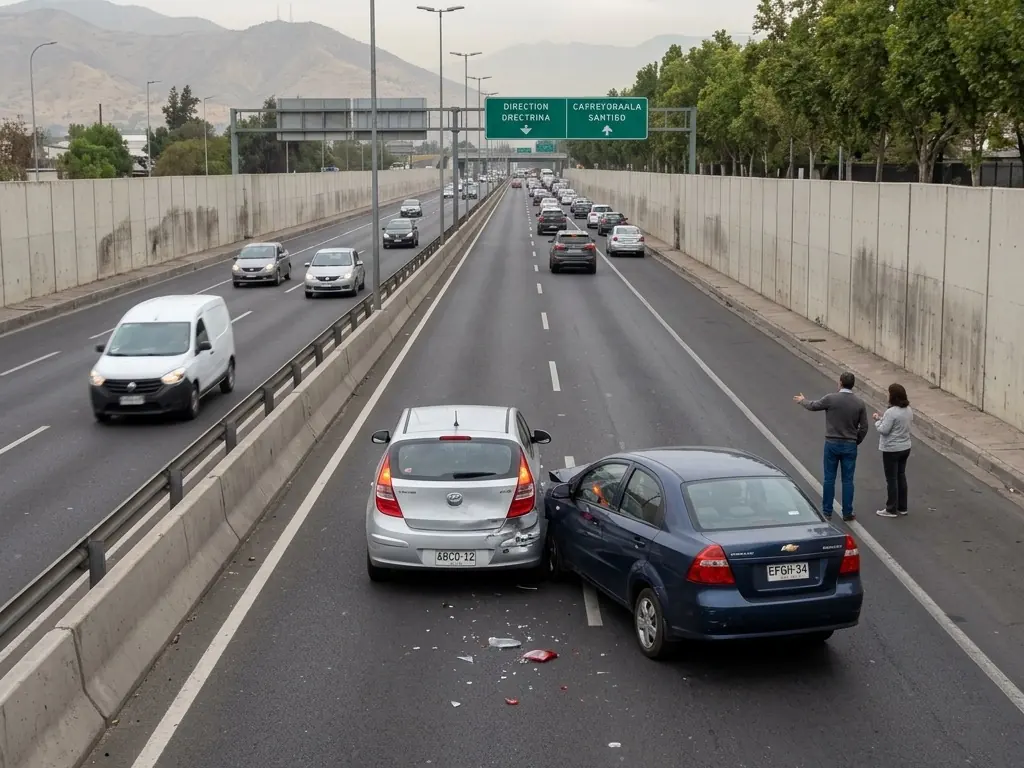
Two cars have stopped together with visible bumper damage in the inside lane. Staff check the lane and traffic movement.
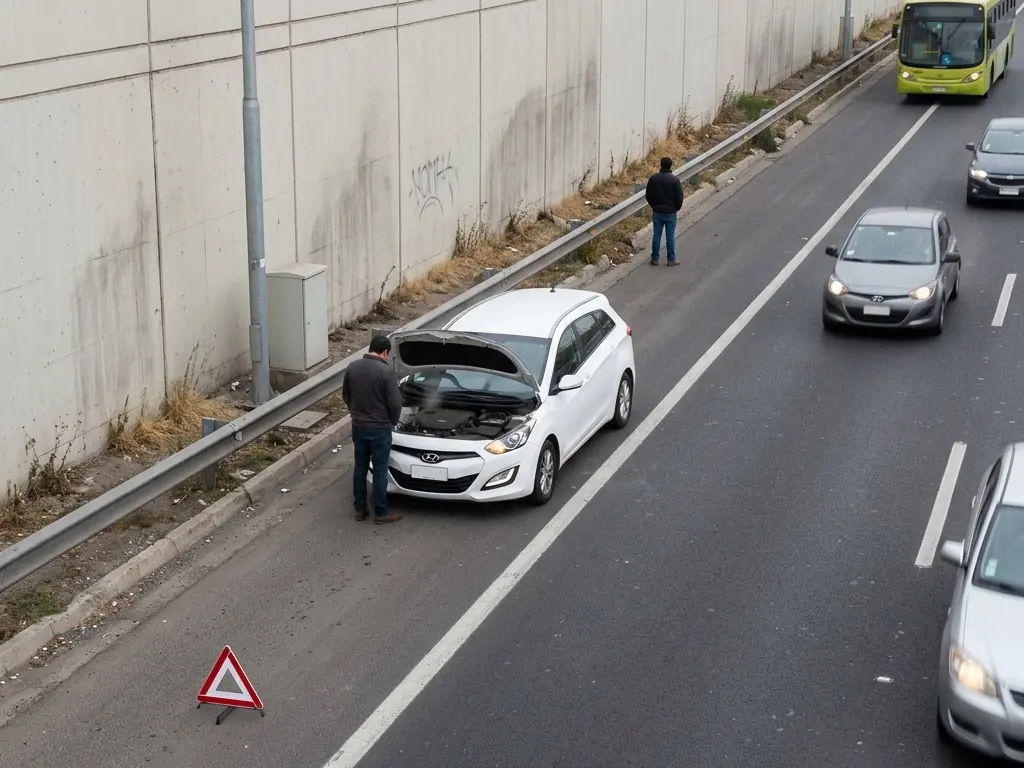
An undamaged car has its hood open and hazard lights on beside the roadway. The response differs from a collision in a live lane.
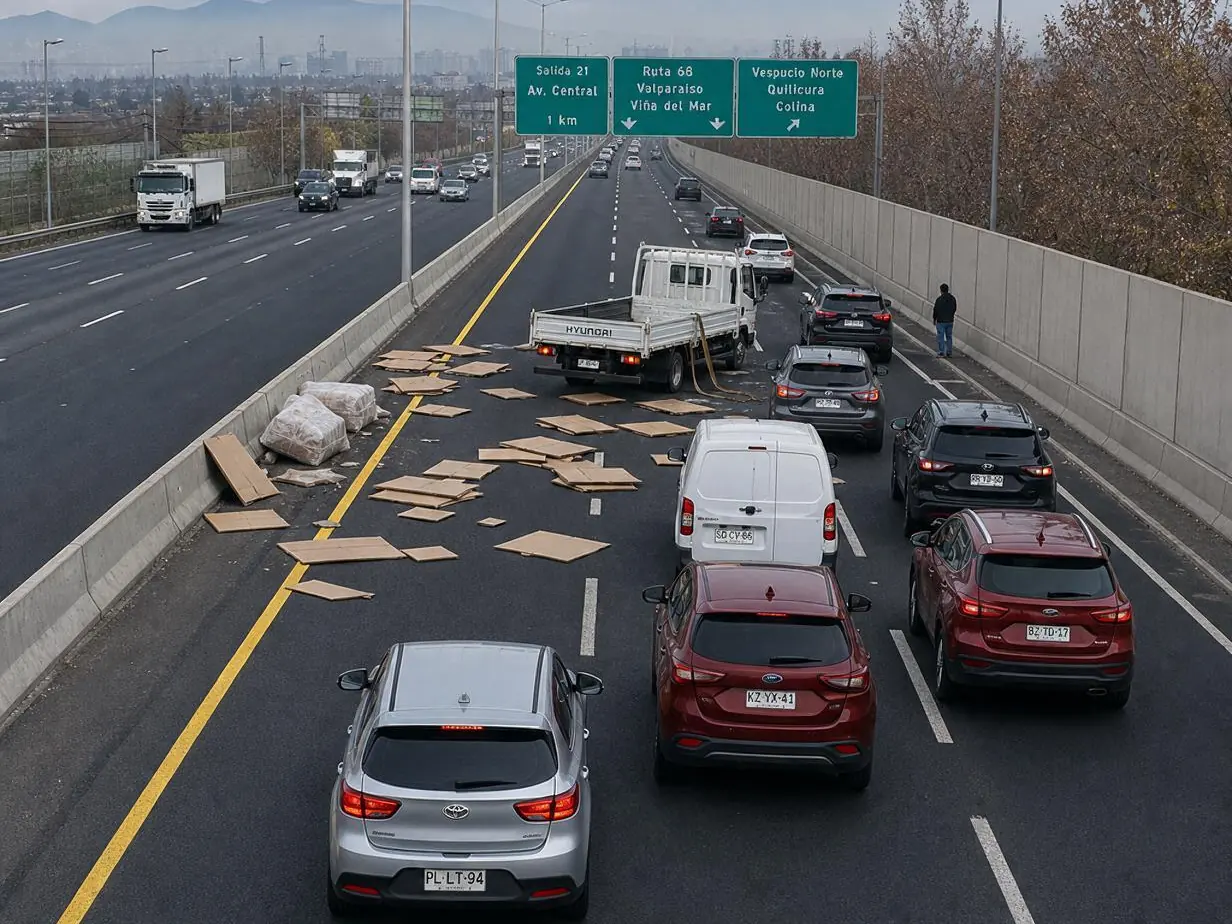
Cartons and bales have fallen from a stopped flatbed truck. The obstruction itself needs traffic review even without vehicle damage.
From Prompt to Action
Use observable wording such as “Alert when a vehicle has collided or broken down on this highway segment.” on cameras that show the complete relevant scene.
Open the match and surrounding footage. Compare with ordinary scenes such as congestion, roadwork, or a vehicle safely stopped on the shoulder.
Traffic staff verify the live scene and apply the incident plan. The frame cannot establish injury, fault, or cause.
Pilot Questions
Keep Reading
Choose representative views of a highway segment. We can scope the prompt, alert settings and review procedure for a pilot.
It reports a match to a described visible condition: a visibly damaged or stopped vehicle after a collision, or a breakdown in a live lane. An operator reviews footage before deciding what happened.
No. A sampled frame cannot establish intent, authorization, responsibility, or cause. Staff check context and follow local procedure.
No. Visible vehicle damage or a stopped vehicle cannot establish occupant condition. Follow the traffic incident response process.
Test representative cameras and ordinary scenes, including congestion, roadwork, or a vehicle safely stopped on the shoulder. Agree on useful alerts and missed events. IREX does not publish a universal accuracy figure for this prompt.