
Perimeter Cameras
Start on fixed views where a normal scene and expected coverage are well understood.

A blocked or altered view can leave an operator without the camera context they expect. StreamVLM™ can flag the visible quality change for a technician or control-room review.
The Visible Condition
The condition in scope is a camera view that is covered, blocked, strongly blurred, shifted, or otherwise visibly unusable. It is a visible scene detail, not a diagnosis, a conclusion about intent, or an automatic decision.
In StreamVLM™, an authorized operator writes a prompt such as “Alert when this camera view is obstructed.” The model evaluates selected live frames against that prompt and sends a match, camera, location and time into the IREX event workflow for human review.
StreamVLM™ runs on a GPU node in the customer instance. Each prompt has its own confidence threshold, alert cooldown, event type and camera selection.
This prompt-defined detector can be evaluated alongside the Camera Tamper Detection trained-module workflow. The two approaches have different frame-rate and operational-fit considerations, so a pilot should establish which is appropriate for the site.
Explore StreamVLM Prompt Detectors →Where It Helps
Start on fixed views where a normal scene and expected coverage are well understood.
Let operators distinguish temporary weather effects from a persistent camera-integrity issue.
Route confirmed faults to the technician or service desk responsible for that camera.
Illustrative Camera Frames
These illustrative frames show the kind of visible condition a prompt can surface. They are not real incidents, deployments, or proof of detection accuracy.
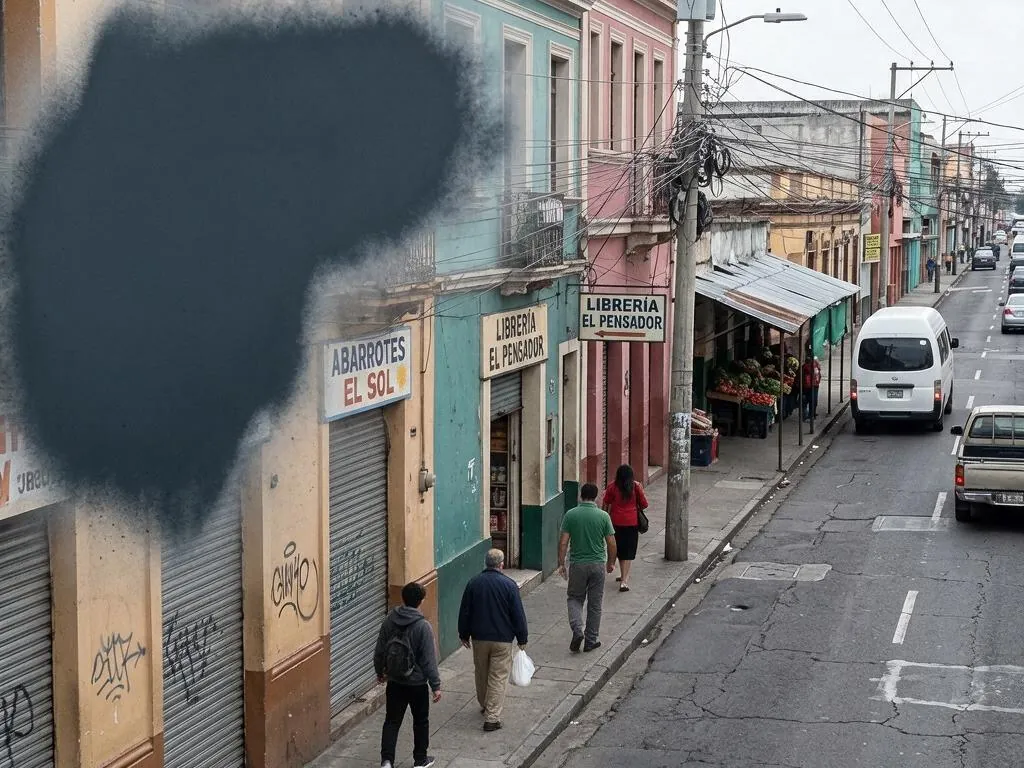
An operator compares the live scene with the expected camera coverage.

The frame can be routed for a check without attributing the cause.

Site staff decide whether cleaning, repositioning, or another response is required.
From Prompt to Action
Write a concise prompt for a camera view that is covered, blocked, strongly blurred, shifted, or otherwise visibly unusable, then select the cameras and times where the condition warrants attention.
Open the event with its camera, location, time and available video context. Confirm what is visible before treating the match as actionable.
The authorized team applies the local procedure. StreamVLM supplies a review cue; it does not decide the response.
Limits to Test
Keep Reading
Pilot on a small set of high-priority cameras and agree what visual change should create a service or security review.
No. The prompt concerns the visible condition of the camera view. A separate investigation may be needed to determine cause or identity.
No. It reports a match to the visible condition in the prompt. An operator reviews the frame and local context before deciding what it means.
Start with representative cameras, define what makes a useful alert, then adjust the camera selection, confidence threshold and alert cooldown during a camera-specific pilot.
IREX does not publish a universal accuracy figure for this prompt. Image quality, camera angle, lighting, occlusion and the local definition of a useful alert all affect results.